
Free
Essential invite tracking for smaller communities.
$0
Free forever
- Up to 4 tracked invites
- 7-day chart lookback
- Stacked area charts
- Role assignment (up to 4 roles)
- Community support
Powerful Discord-native invite tracking and analytics. Track member sources, automatically assign roles, and visualize your community's growth.
Fast, reliable, and completely free to start. Trackr helps communities understand and optimize their growth with precise invite tracking.
* We offer paid features but will never make free features paid
** Real-time metrics available at status.nicebots.xyz
Everything you need to track, analyze, and optimize your Discord community's growth.
Passively tracks Discord invites without requiring web pages or OAuth. Works with standard Discord invites automatically.
Beautiful Discord-themed visualizations with time series charts, stacked area charts, and detailed statistics.
Automatically assign roles when members join via specific invites with validation and detailed error reporting.
Receive join notifications with color-coded embeds showing success or failure states for role assignments.
Look up which invite any user joined through with timestamps. Perfect for moderation and community management.
Dropdown menus, modals with pre-filled values, and live updates. Easy-to-use with actionable error messages.
Trackr uses Discord's native member join detection to passively track invites — no web integration required.
Create a standard Discord invite through Discord's UI. Set your preferred expiration and usage limits.
Run /invite track with your invite code. Configure roles and log channels in the interactive modal.
Share the invite anywhere — socials, YouTube, Reddit. Trackr silently detects every join and records the source.
View notifications in log channels, check join history with /invite whois, and generate charts with /invite chart.
Eight powerful commands to manage invites, analyze growth, and troubleshoot configuration.
/invite track Start tracking a Discord invite with role assignments and log channels
/invite edit Modify tracked invite settings including roles and channels
/invite list View all tracked invites with an interactive dropdown
/invite info Display detailed information about a specific invite
/invite untrack Stop tracking an invite while preserving historical data
/invite chart Generate analytics charts with customizable timeframes
/invite whois Look up which invite a user joined through
/debug Validate server configuration and check for issues

Professional charts with Discord-themed dark mode styling and detailed statistics — generated directly in Discord.
View invite usage over time with smooth curves. Shows peak activity, daily averages, and total joins with customizable timeframes from 1 day to 365 days.

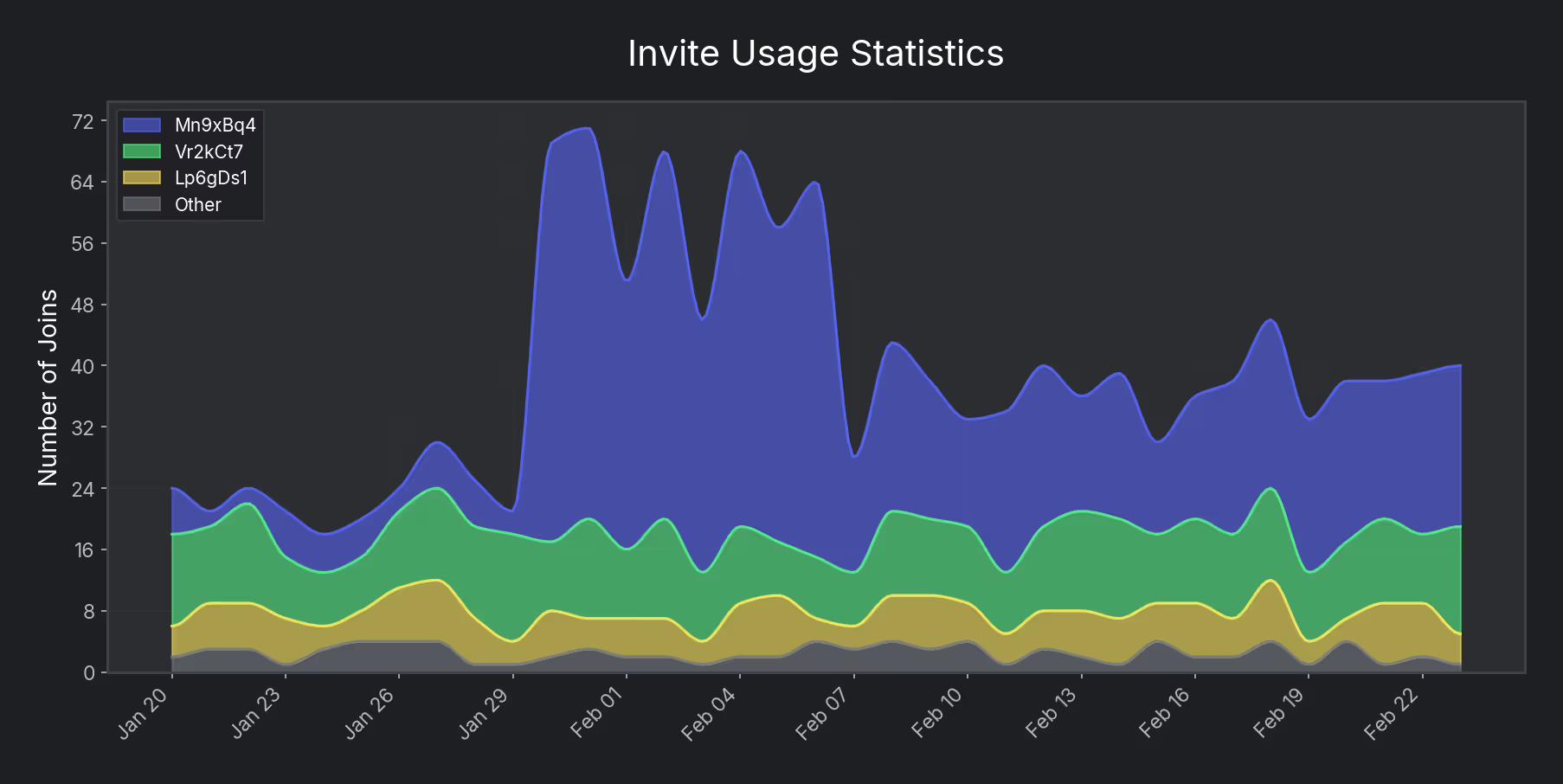
All tracked invites layered in one view — most-used on top. Instantly see which sources drive the most members and spot growth trends over time.
Start free with core invite tracking. Upgrade when you need deeper analytics.
Essential invite tracking for smaller communities.
$0
Free forever
Unlimited tracking and long-term growth analytics.
$2.99
/month (excl. tax)
Trackr tailored to your org with custom analytics and dedicated hosting.
Custom
Tailored to your needs
Upgrade anytime with /subscribe
Ensure your Discord server meets these requirements for optimal functionality.
Pro Tip: Run /debug after adding Trackr to automatically
check all permissions.
Common questions about Trackr's features, setup, and capabilities.
/debug to check your permissions./debug command to check your server configuration. It validates community features, required permissions, and settings with actionable fixes.Start tracking your server's growth with Trackr today. Get powerful analytics, automatic role assignment, and comprehensive member insights.